Audio Journal Apps for Spoken Entries
Talking through your thoughts works better than typing them—and these apps prove it.
Here's what this piece actually covers: there's a real, measurable gap between an app that records your voice and an app that helps you journal with it, and most people shopping for one can't tell which they're buying. I tested a dozen of these over a few months, and one of them changed how I think about journaling once you take the pen out of the equation entirely. What follows is the breakdown: the neuroscience of talking versus writing, the features that separate a real tool from a glorified voice memo folder, and which app fits which kind of talker.
Writing forces you to filter, edit, and compose at the same time, which is an odd demand to put on someone who just wants a thought out of their head before it evaporates. The average person talks around 130 to 150 words per minute; typing tops out closer to 40. By the time you've polished sentence three, sentence seven has already slipped away, and you're chasing a thought that outran your fingers. Speech doesn't have that problem, it just keeps pace with however fast your brain happens to be moving that day.
Three kinds of people feel this most. The out-loud thinker loses the idea mid-sentence the moment they try to type it. The commuter, the dog walker, anyone whose best thinking happens somewhere without a keyboard in reach, feels it too. And then there's the group nobody talks about enough: people for whom a blank document reads like a performance review, where perfectionism turns journaling into a chore instead of a release valve.
So where does the real line sit, between an actual journaling app and a recorder with a nicer icon? It's entirely in what happens after you stop talking. Does the app transcribe the entry, organize it, make it searchable, hand you something to reflect on later? Or does it slap a timestamp on a file and call it a day? That gap is what the rest of this piece digs into.
What actually happens in the brain when you speak about your feelings
James Pennebaker's research on expressive writing found something that's held up for decades: putting emotionally significant experience into language, spoken or written, reduces distress. The medium barely matters. What matters is dragging something vague and unformed into words you can actually look at.
Across more than a hundred expressive writing studies, the average effect size lands around 0.16 (Cohen's d). That's small. But it's held steady across decades of replication, and in behavioral research, a hundred studies quietly agreeing beats one flashy result nobody can reproduce.
Why would speaking do something writing doesn't quite manage for a lot of people, though? Talking a feeling out loud recruits Broca's area for language production, the prefrontal cortex for executive function, and the limbic system for emotion, all firing together in a way that feels less like composing a sentence and more like processing in real time. Affect labeling, the act of naming an emotion out loud ("I'm anxious about this," not just marinating in the anxiety), activates the prefrontal cortex, which dampens the amygdala's stress response. Think of it as a brake pedal for your nervous system, one you get to apply before the alarm goes off instead of after.
Speaking also lights up circuits tied to social cognition, the same ones firing when you're talking through a problem with a friend over coffee. That might explain why voice journaling feels more natural to people who find writing stilted, like they're performing sincerity instead of just having it. There's a conversational pull to talking into a phone that a blank text field never quite manages, even though the phone isn't listening in any way that counts.
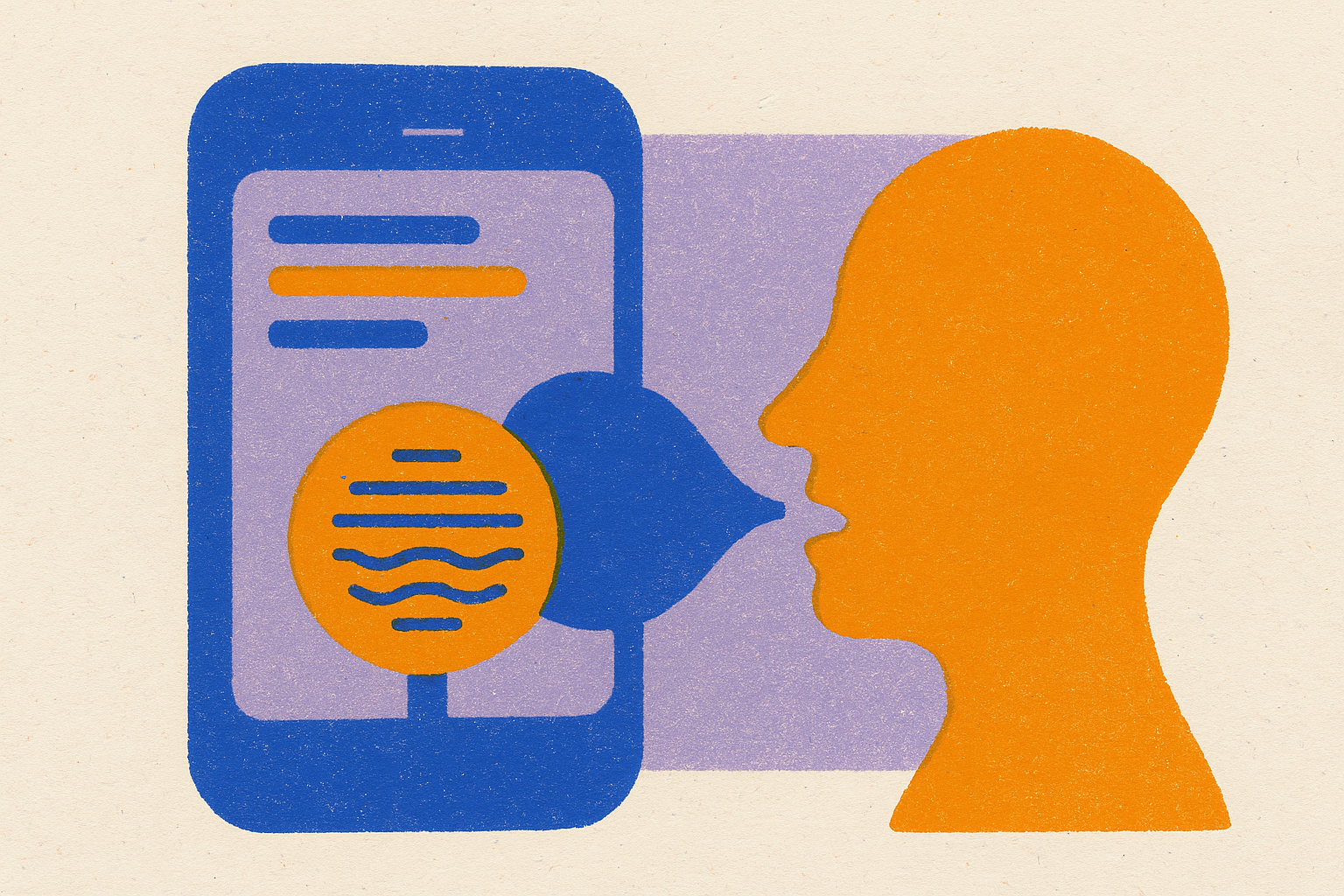
None of this makes the microphone button the whole product, though. An app that actually gets someone talking, through a prompt, a low-friction recording screen, a short-entry format that doesn't demand a TED talk, is doing something real. Transcription, AI summaries, follow-up prompts: these carry that externalization process forward past the moment you stop talking, instead of sitting on top of it as decoration. That's why the next section treats them as the core of the product, not features bolted on afterward.
The four features that separate a real audio journal app from a voice memo folder
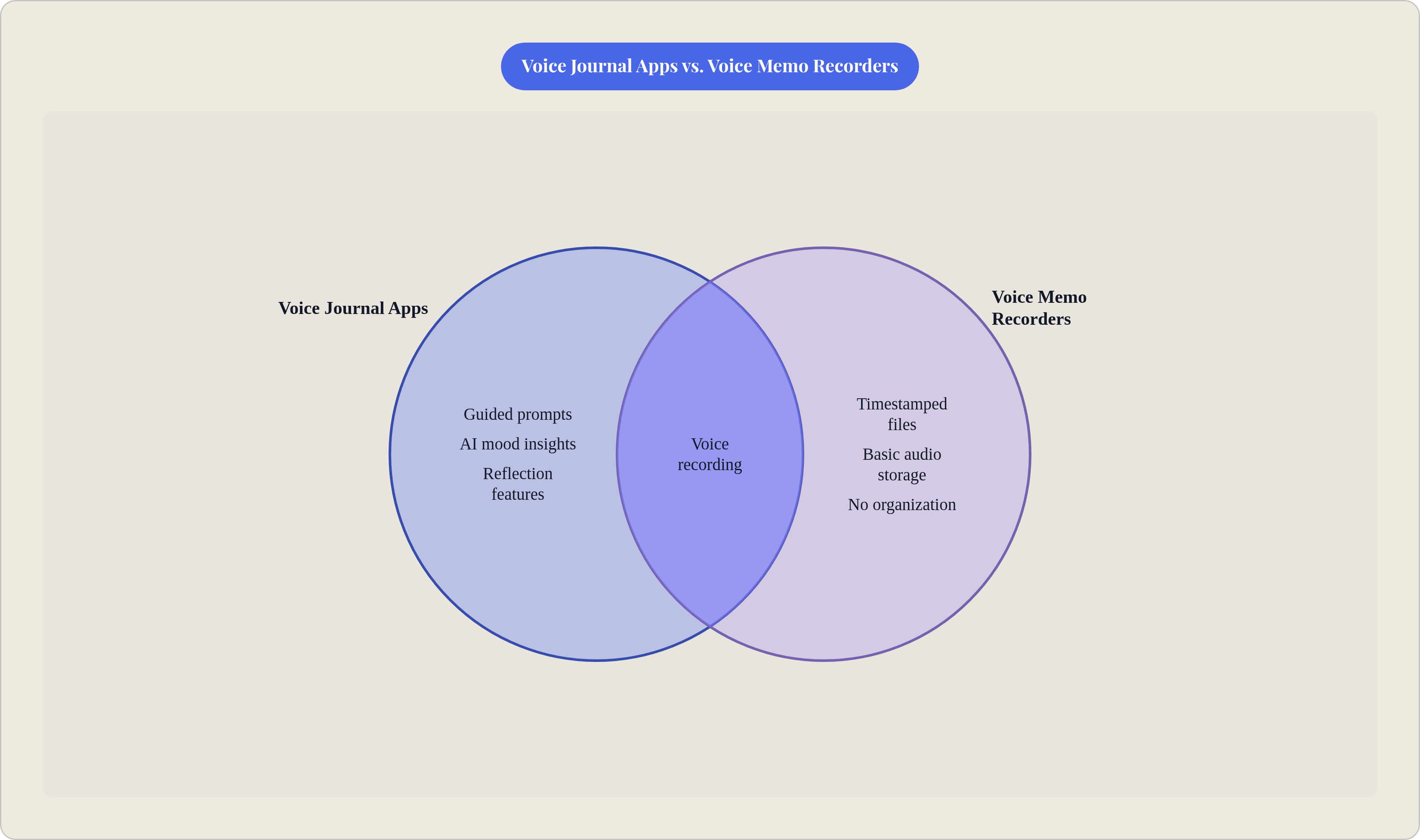
Four things decide whether an app was built for journaling, or built as a recorder that got journaling features stapled on after the fact.
Transcription quality comes first, because a transcript you don't trust is a transcript you stop opening within a week. Accuracy in the low 90s is standard across the category; Sluqe claims to clear 95%. Multilingual support matters more than most people expect going in, too. Both Sluqe and Google Recorder handle over 50 languages, which counts for a lot if you code-switch, or if half your journaling happens in a language that isn't English.
Second is entry structure and organization, and this is where a lot of "voice journal" apps quietly out themselves as recorders wearing a calendar icon. Are entries dated, searchable by the actual text of the transcript, tagged by theme? Or are you scrolling through timestamped audio files trying to remember which one was the meltdown about the client call?
Third, prompts and guided recording. Does the app give you something to respond to, or does it start a timer and just stare at you? An empty recording screen carries nearly the same psychological weight as a blank page. This ends up being the real fault line between a journaling tool and a glorified dictation machine.
Fourth, reflection features: AI-generated insights, mood analysis, weekly summaries that surface a pattern you couldn't spot one entry at a time. This is what turns raw audio clips into something you learn from, instead of a graveyard of recordings you'll never reopen.
A handful of secondary filters matter too, though these are use-case questions rather than quality ones. Platform, iOS-only versus cross-platform. Privacy and encryption, meaning who can see the transcript and whether the audio lives locally or ships off to a server somewhere. Expected entry length, since a 30-second brain dump app serves a completely different habit than one built for 10-minute narrative entries. And AI persona, since some apps let you pick a "Coach" or "Therapist" framing that shapes how the feedback lands.
None of this is about crowning a winner. It's a framework, so that by the time you hit the app comparisons below, you're matching features to how you actually talk, not picking whatever has the shiniest landing page.
Dedicated audio journal apps built around spoken entries
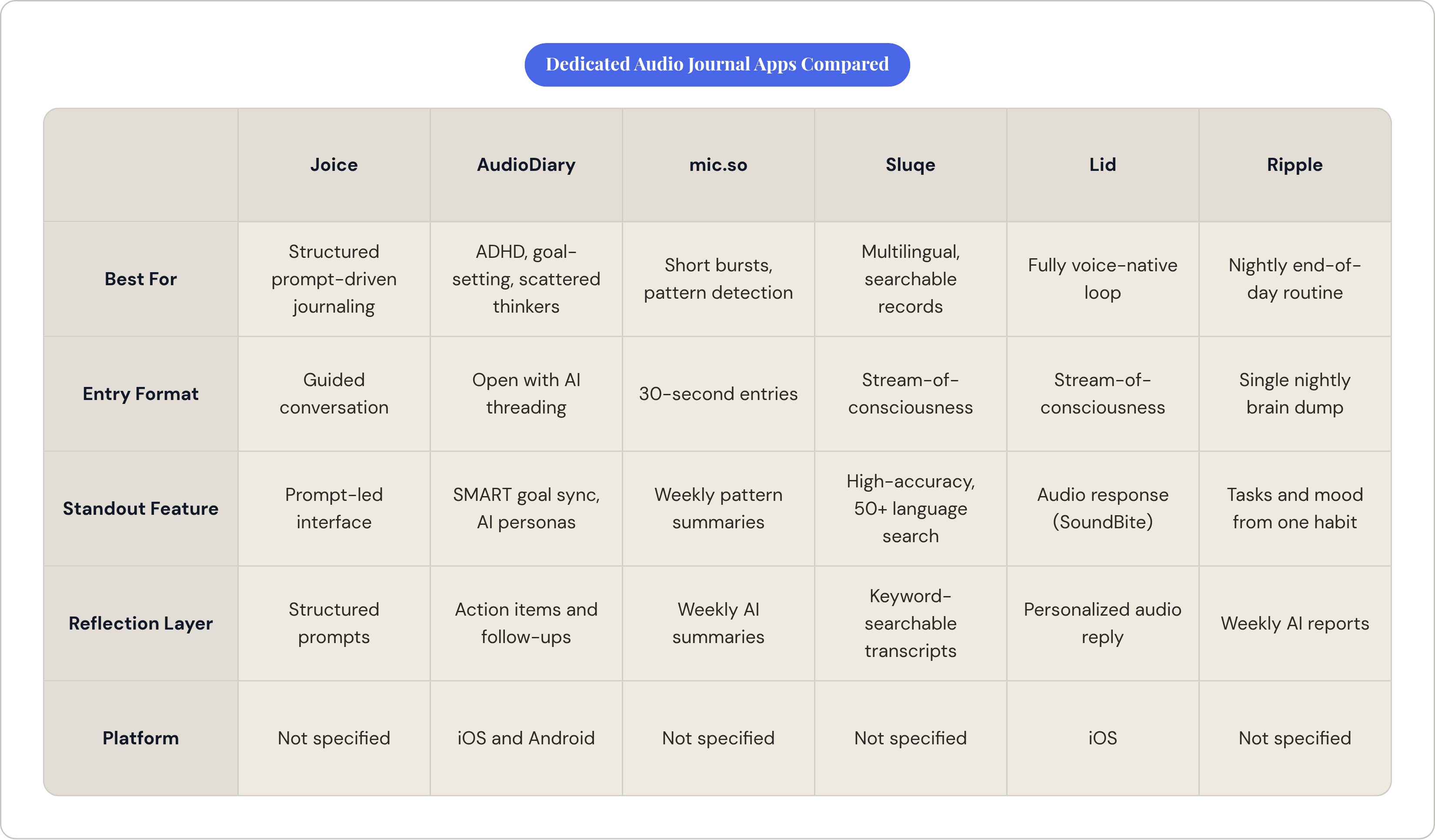
Joice is voice-first and conversational: you journal by talking through prompts, guided rather than left to freestyle into a void. It solves the blank-page problem at the interface level, since the whole experience is structured instead of open-ended. Best for people who want the depth of journaling without the writing part, and who do better with a structured conversation than an empty recording timer staring back at them.
AudioDiary (iOS and Android) transcribes and organizes entries, then runs AI analysis on top, pulling out action items and syncing SMART goals to Google Calendar. It offers a few AI feedback personas, Coach or Therapist among them, and the persona you pick genuinely changes how your own words get handed back to you. User reviews point to something specific for people with ADHD: the app takes a scattered brain dump and threads it into something coherent, tacks on a simple goal, asks a follow-up question instead of just filing the entry away and forgetting it existed. It also handles dream and mood tracking, plus a PIN lock on the diary itself.
mic.so is built around 30-second voice entries with instant AI analysis, and weekly summaries stitch patterns together across all those short bursts. There's a live demo you can try without signing up, which is about the lowest barrier to entry in the category. Good fit if you think in short bursts and want pattern detection over time without committing to long sit-down sessions.
Sluqe claims exceptionally high transcription accuracy and supports over 50 languages. It leans hard into searchability, turning spoken words into fully indexed text you can query like a database. Best for multilingual users, or anyone who wants to pull up one specific entry by keyword instead of scrubbing through audio hoping to recognize their own voice from three weeks back.
Lid (iOS) takes stream-of-consciousness recording and turns it into a formatted entry through AI, then hands back a personalized audio response, called a "SoundBite," an uplifting note delivered in audio form. What's notable is the loop stays voice-native the whole way through: you speak, the app speaks back. No typing anywhere in the process, start to finish.
Ripple is built around a nightly voice brain dump, spinning that single habit into tasks, mood tracking, and weekly AI reports. Good fit if you want journaling folded into an end-of-day routine rather than something you reach for at random points in the day.
General journaling apps that handle voice entries well enough to compete
Apple Journal, built into iOS, offers audio recordings with transcription, State of Mind mood tracking tied into Apple Health, and intelligent suggestions pulled from your photos, workouts, music, and location. It's end-to-end encrypted through iCloud and free, which is hard to argue with on price alone. The catch is the one you'd already guess: it's iOS-only, so if you're on Android even part of the time, or you switch devices down the line, treating it as a durable home base for years of entries gets risky.
Some cross-platform general journaling apps surface patterns across entries, flagging which weeks felt heaviest and why, and auto-generate Weekly, Monthly, and Annual Reviews. The better ones also offer on-demand coaching sessions where you pick voice or text and choose a specific entry or topic to dig into. That coaching layer pushes them closer to dedicated audio journal apps in daily use than most general tools manage, even though they weren't built voice-first to begin with.
The tradeoff across this tier holds up pretty consistently: these apps tend to offer more mature history, search, and cross-platform reliability, since they were built text-first with voice added later. Dedicated audio apps had speaking as the default input from day one, and it shows in how little stands between opening the app and actually talking.
How to choose based on how you actually journal
Here's the question that sorts the whole category: do you want to speak and be done, or do you want to come back later and read what you said?
If the goal is capture-and-release, a brain dump before bed, a debrief right after a rough meeting, a short-entry app like mic.so or Ripple fits that habit better than anything with a heavier feature set stacked on top. If you're building a searchable record you'll actually return to over months or years, transcription quality and organization matter more than any AI flourish, which points toward Sluqe or a general app with strong search built in. And if what you need is structure, prompts that make recording feel like a conversation instead of a monologue into a void, Joice and AudioDiary are built for exactly that.
Platform reality deserves a plain check too. Apple Journal is genuinely good, but it locks you into iOS, so if you're cross-platform, or might switch phones in the next couple years, weigh sync reliability more heavily than any single feature on the list.
Privacy deserves its own paragraph. Audio transcripts feel more exposing than typed text to a lot of people, maybe because a recording carries the shake or the hesitation in your voice in a way a sentence on a page never does. Check who processes the transcript, where it gets stored, and whether encryption is on by default before handing a year of entries over to any single app.
Underneath all of it sits the habit question, and it's the one people underrate the most. The best audio journal app is the one with an entry format short enough, and a recording screen frictionless enough, that you actually open it on the day you feel least like journaling. A feature-rich app that takes four taps and a login prompt loses, every time, to a simpler one that opens in one tap and gets out of your way.
People who already think out loud will stick with pretty much any of these without much trouble. For everyone else, the ones who find the idea of speaking their feelings aloud genuinely foreign rather than just inconvenient, the prompted apps do real work lowering the cost of that first sentence. That might be the whole point of the category. Or it might just mean some of us have spent more nights than we'd like to admit narrating client meltdowns to a phone that, mercifully, never talks back.